
Your Mac Just Became a $20/Month AI Employee
Anthropic's new Computer Use feature turns your Mac into an AI employee workstation — and I'm already shopping for a second laptop.

I was sitting at a coffee shop on this Tuesday, March 24, 2026, when I texted Claude from my phone: “Pull yesterday’s analytics, drop them in a spreadsheet, and email me a summary.”
By the time I got home and flipped open my M3 MacBook Pro, it was done. Sitting right there on my desktop. A spreadsheet I didn’t build. An email I didn’t write. All from a text message I sent while waiting for a latte.
This is Claude Computer Use. And it launched today.
What Just Happened
Anthropic just shipped the ability for Claude to physically control your Mac. Click the mouse. Type on the keyboard. Open apps. Navigate browsers. Fill in spreadsheets. Anything you’d do sitting at your desk: Claude can now do while you’re somewhere else.
This isn’t just another chatbot answering questions or generating code in a isolated window. This is a full-blown AI agent that takes over your screen and gets work done in the local environment. It’s the “Agentic Era” arriving in a very loud way.
It pairs with Dispatch, which Anthropic released last week. Dispatch lets you assign Claude tasks from your iPhone. Computer Use is how Claude actually executes them. Together, they turn any Mac into a remote-controlled AI workstation you can command from anywhere your phone has signal.
Here’s Anthropic’s demo of it in action:
I need to be honest with you: I’m writing this post using Claude Computer Use right now. The tool writing about the tool. If that doesn’t tell you something about how fast things are moving at Anthropic, nothing will. It’s not just about “text in, text out” anymore. It’s about Action → Result.
The Speed Is the Story
Let me put this week in context.
Last week: Anthropic shipped Dispatch — assign tasks from your phone.
This week: Computer Use — Claude controls your Mac.
Also this week: Claude Code Channels — message Claude via Telegram or Discord.
Every 8 hours, Anthropic drops something not only worthy of testing, but so powerful that it demands I actually stop what I’m doing to write about it. I’ve never seen a company ship this fast, this consistently, with features this useful.
OpenClaw? I’m still using it for heavy lifting, but less and less. Not because it’s bad: I still think my Day 0 Playbook is the way to go for power users: but because Claude keeps absorbing every reason I had to use external agents.
But I’m Not a Developer
Here’s the take that’s going to dominate the next 48 hours: “Claude Computer Use is a cool developer tool.”
Wrong.
This is not a developer tool. This is an admin-killer. If you’re a solopreneur spending 2+ hours a day on operational tasks: updating spreadsheets, organizing files, compiling research, prepping for meetings: this is the most important product launch of 2026 for you.
According to Larridin analytics, weekly Claude sessions jumped from roughly 1,100 in mid-January to nearly 17,650 by mid-March 2026 — an increase of more than 1,400%. Users are now averaging 38 sessions per week with Claude versus 18 with ChatGPT. Why? Because users are gravitating toward tools that provide a “Business OS” feel. This update cements that trend.
The people who should try this today aren’t programmers. They’re the business owners drowning in admin work they can’t afford to hire a VA for and can’t afford to keep doing themselves.
“I’m Not Letting AI Control My Computer”
I get it. The gut reaction is fear. “An AI moving my mouse? Clicking things? What if it sends the wrong email? What if it deletes something?”
There’s also the “Hype Check” reality: Bad actors are already trying to exploit this. We’ve seen “ClickFix” attacks where people are tricked into running malicious terminal commands via fake support sites. Do not run random scripts. Use the official Claude Desktop app.
Here’s what I’ve actually seen in the permission model that made me comfortable:
Granular Permissions: Claude asks before touching each new app. Not a blanket permission — app by app. First time it wants to open Mail? It asks. You approve each one individually.
Sensitive Blocks: Investment platforms and crypto wallets are blocked by default. Anthropic already thought about this.
Transparency: You literally see it clicking and typing on your screen in real time. It isn’t a black box; it’s a mirror of your own desktop.
The Reason I’m Buying a Second Mac
Here’s the insight that changed my thinking entirely: the reason to buy a dedicated Mac for Claude isn’t safety. It’s productivity.
You and Claude can’t use the same mouse at the same time.
When Claude is working on my Mac: clicking through apps, filling in spreadsheets, navigating browsers: I can’t also be using that same machine. We’re fighting for the cursor. It’s like sharing a desk with someone who keeps grabbing your keyboard.
So I’m buying a second MacBook. I almost bought a wall of Mac Minis for a similar experiment last year, but a MacBook with a screen is the move here so I can keep an eye on what Claude is doing while I work on my primary machine.
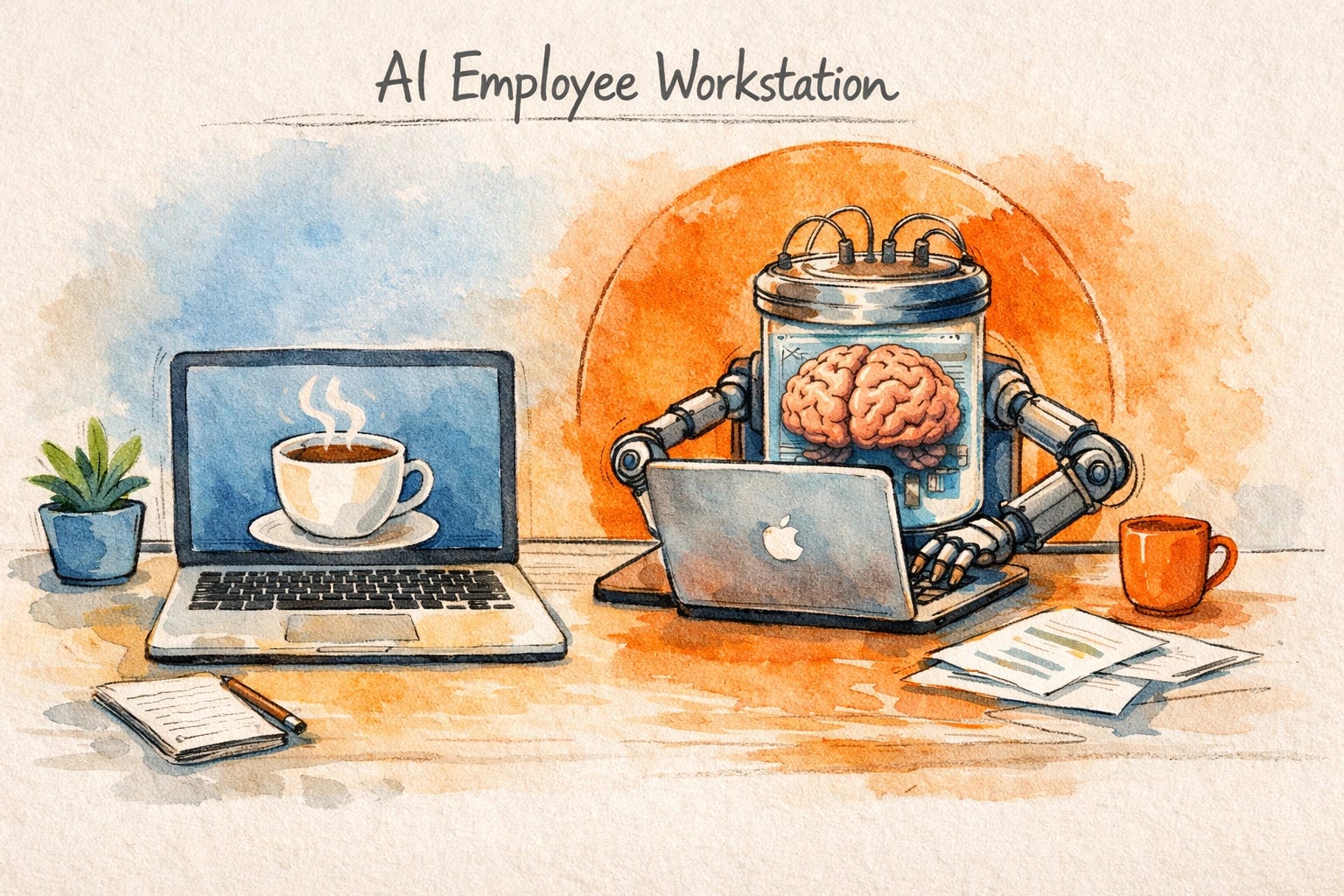
The setup: my main laptop for my creative work. A second MacBook running Claude, sitting next to me. I command it via Dispatch from my phone, via Telegram through Code Channels, or via Jump Desktop when I want to take the wheel.
That’s not a computer anymore. That’s an AI employee workstation.
Who This Is Actually For
If you already have a Mac and you pay for Claude Pro ($20/month) or Max, there is zero reason not to turn this on right now.
Solo operators drowning in admin: Claude can now do the “computer work” that doesn’t require your brain while you focus on the work that actually grows your business.
Small teams without a dedicated VA: A virtual assistant costs $500–2,000/month. Claude costs $20/month. Claude doesn’t need training, doesn’t call in sick, and can work while you sleep.
The Curious: If you’ve been intimidated by agent setups like OpenClaw on frontier models, this is your entry point. The barrier to entry just dropped to zero.
The free section tells you what Claude Computer Use is and why it matters. Below the paywall: the complete setup guide, my safety checklist, and 5 workflows I’ve tested that are worth automating first.
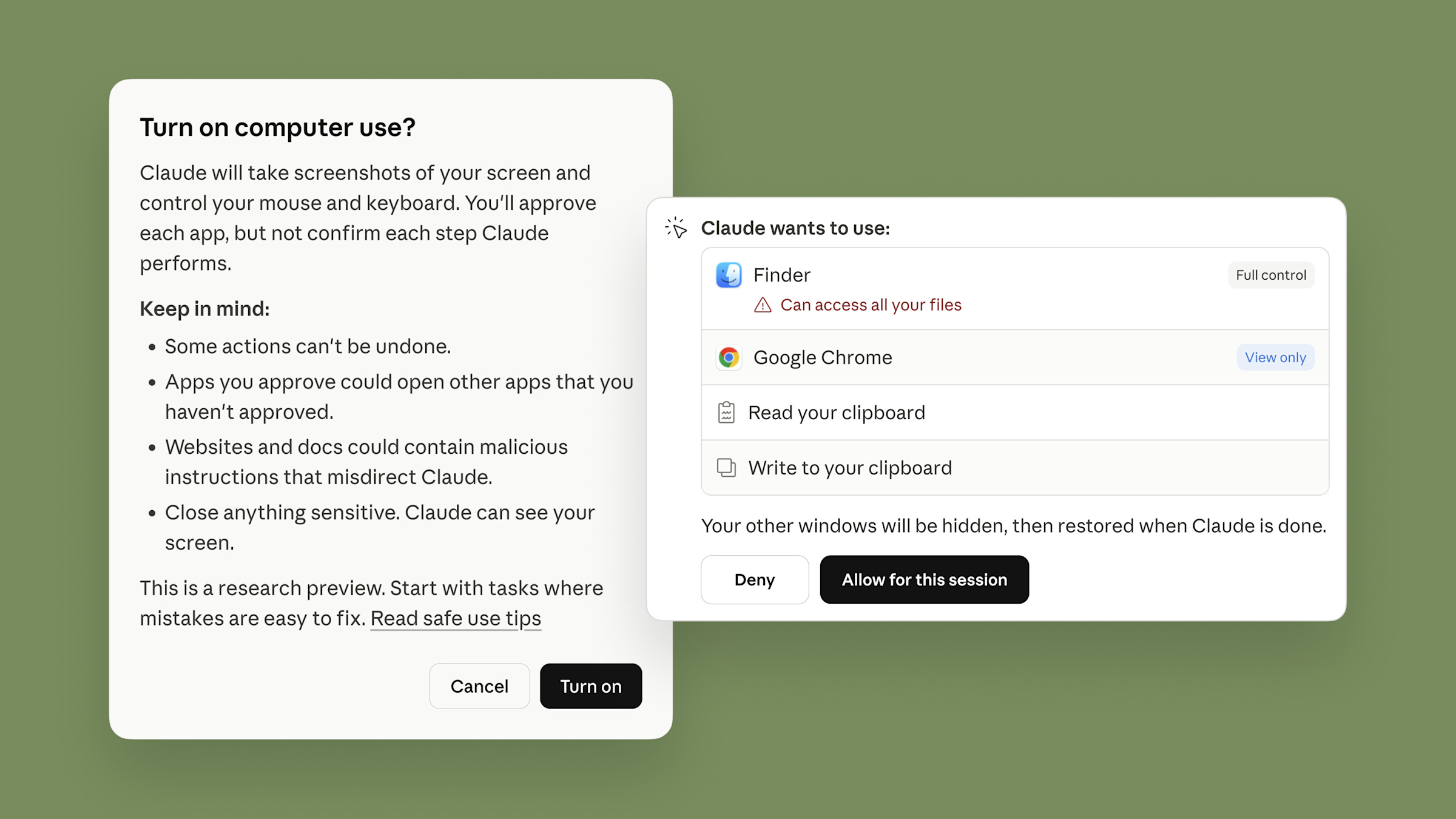
The Complete Setup Guide
Here’s exactly how to get Claude Computer Use running on your Mac, step by step.
Step 1: Check Your Subscription
You need Claude Pro ($20/month) or Claude Max. This is not available on the free tier. If you’re not subscribed yet, go to claude.ai and upgrade.
